Arizona Real Water is a learning platform for water education in Arizona. It serves real estate agents and brokers, educators, and the public, and comes from ASU's Arizona Water Innovation Initiative with the Arizona Department of Real Estate. The platform is live at realwateraz.org.
My role
I am the designer and developer on the platform. I design in Figma on top of the ASU Design System, write the Twig templates and SCSS, fix accessibility issues in the code, and helped document what personal data the platform collects and how we explain it.
Learner paths
0
agent/broker and educator
Platform
Drupal 10
Twig and SCSS
Data areas inventoried
0
analytics, forms, video, AI assistant
Default retention
0 yrs
in the data inventory
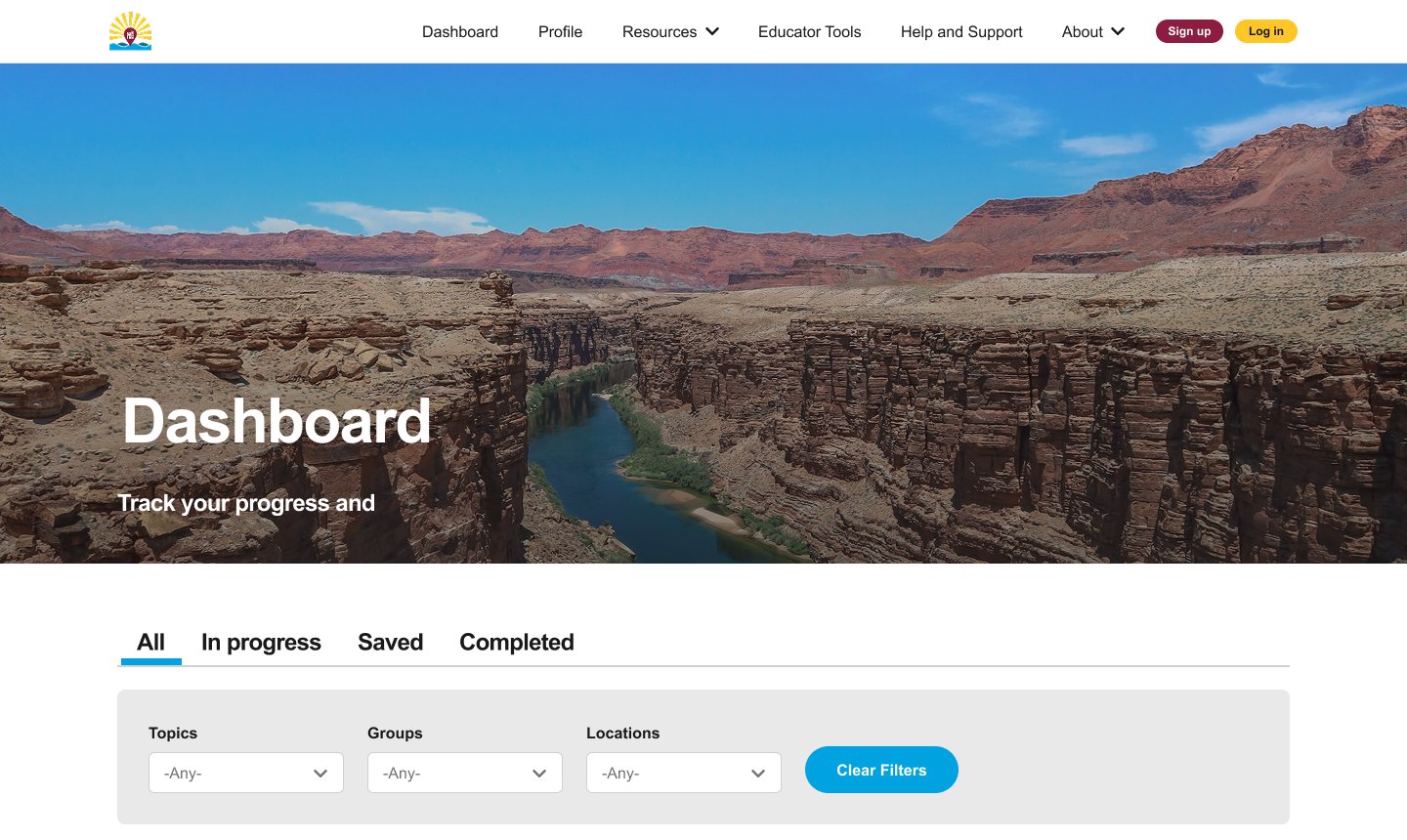
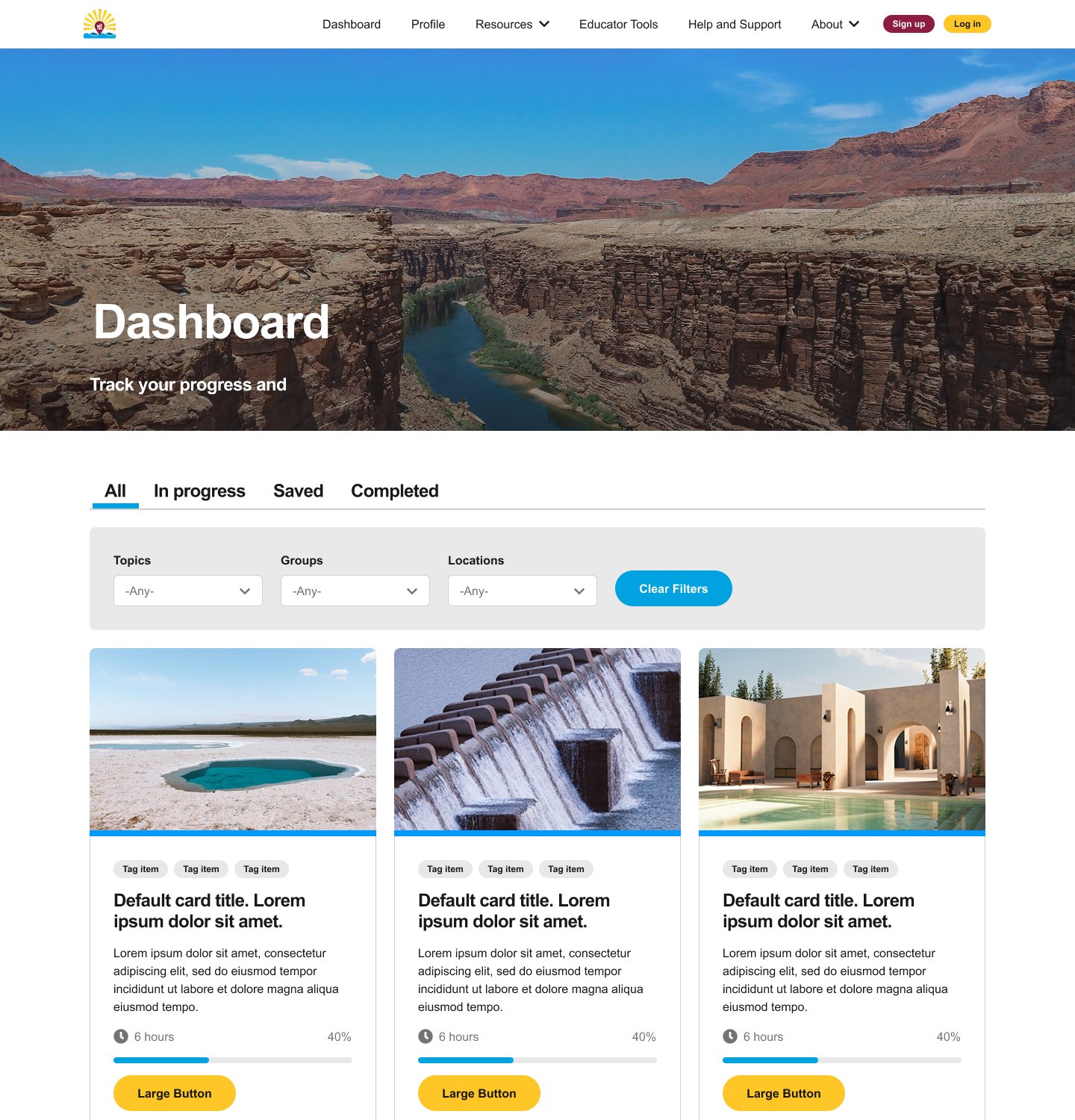
The learner dashboard, in Figma.
01 · Context & Users
Water education for people who make real decisions about water
The platform delivers accessible water-education courses for Arizona communities, real estate professionals, and the public.
Agents and brokers
Real estate professionals who need to explain water and disclosure rules to their clients.
Educators
People who teach water topics and want course material and tools they can reuse. Educator courses are tagged separately from agent and broker courses.
The public
Anyone curious about water in Arizona can read the public content without an account.
How a learner moves through the platform
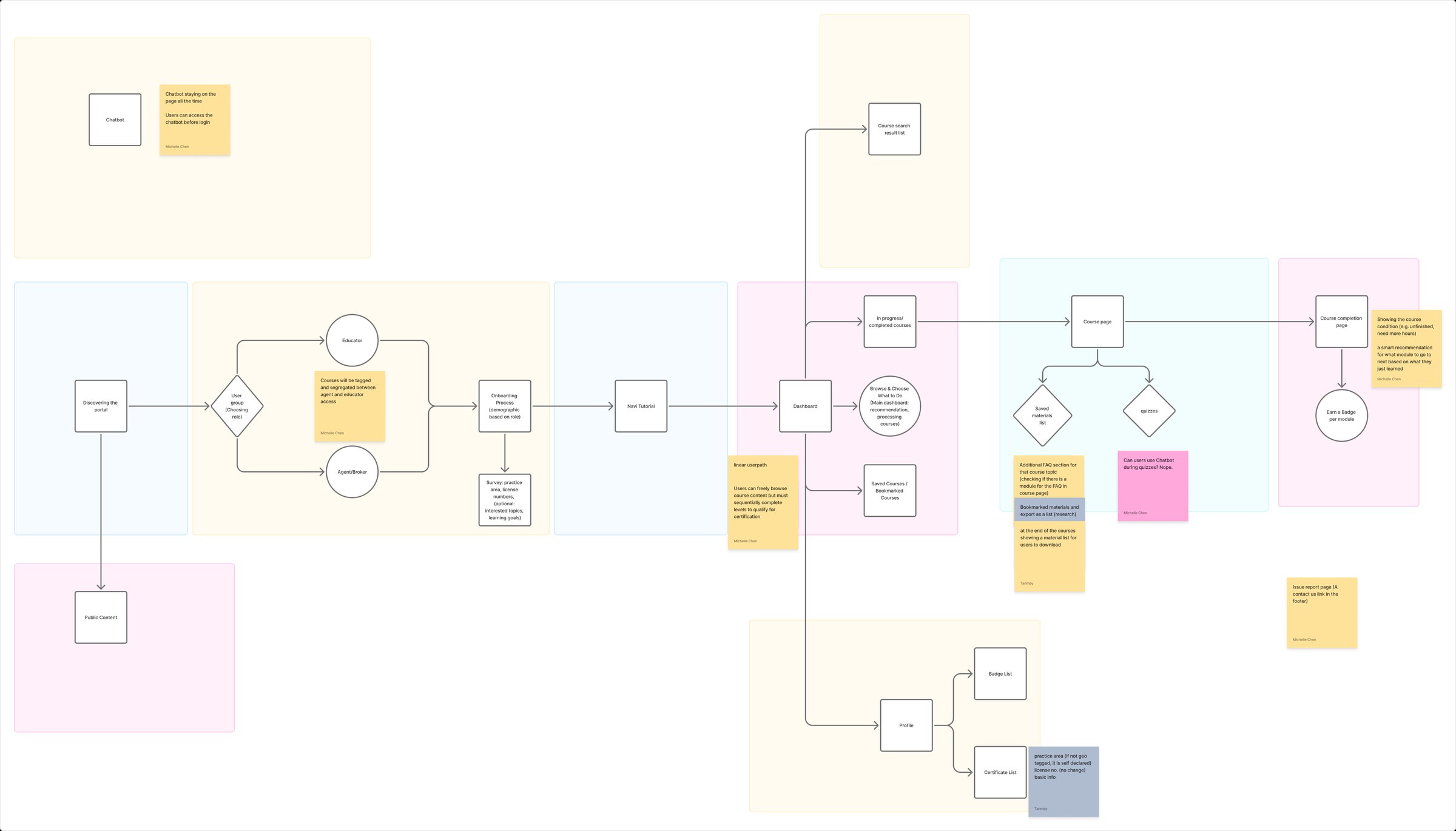
The flow was mapped in FigJam. A visitor first chooses a role, either educator or agent/broker. Onboarding then asks role-specific questions and leads to a short tutorial and a dashboard. From the dashboard a learner resumes in-progress courses, browses new ones, or opens saved courses. Finishing a course ends on a completion page and a badge for each module. The profile collects badges and certificates, and a chatbot stays available on the page.
Course user flow, with open questions on the sticky notes.
02 · Scope & Priorities
What the platform must do first
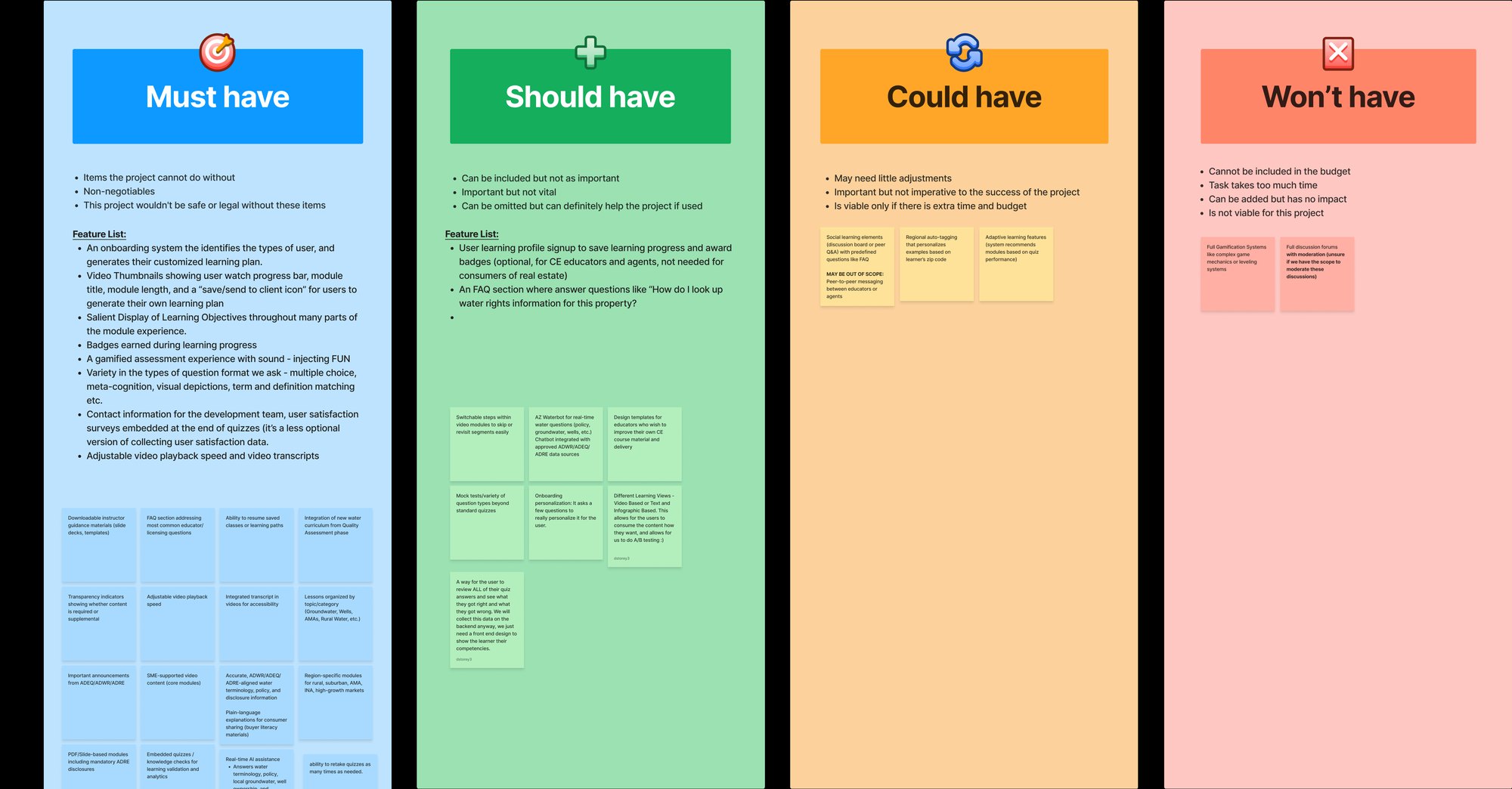
A MoSCoW board sorted features into must have, should have, could have, and won't have, so the build could start with the essentials.
Must have
Onboarding that identifies the type of user and builds a learning plan, video progress and transcripts, learning objectives, badges, and varied quiz formats.
Should have
Optional profiles that save progress, an FAQ section, and an AI assistant for water questions.
Could have, won't have
Adaptive learning and regional tagging could follow. Full gamification and moderated discussion forums are out of scope.
MoSCoW board: must, should, could, won't.
03 · Design
Inside the ASU Design System, extended where needed
This is an ASU project, so the design starts from the ASU Design System and adds new patterns only when the project needs them.
Figma variables
I build the design tokens in Figma as variables, on top of the ASU Design System. The component list documents each component's states.
New patterns, when needed
When the project needs a pattern the design system doesn't have, I extend the system instead of starting a separate style.
Accessible by default
Transcripts and adjustable video speed were must-have features, and I fixed ARIA issues directly in the templates.
Key screens
The designs cover the learner's whole path. These are the Figma designs, and some still use placeholder text and images.
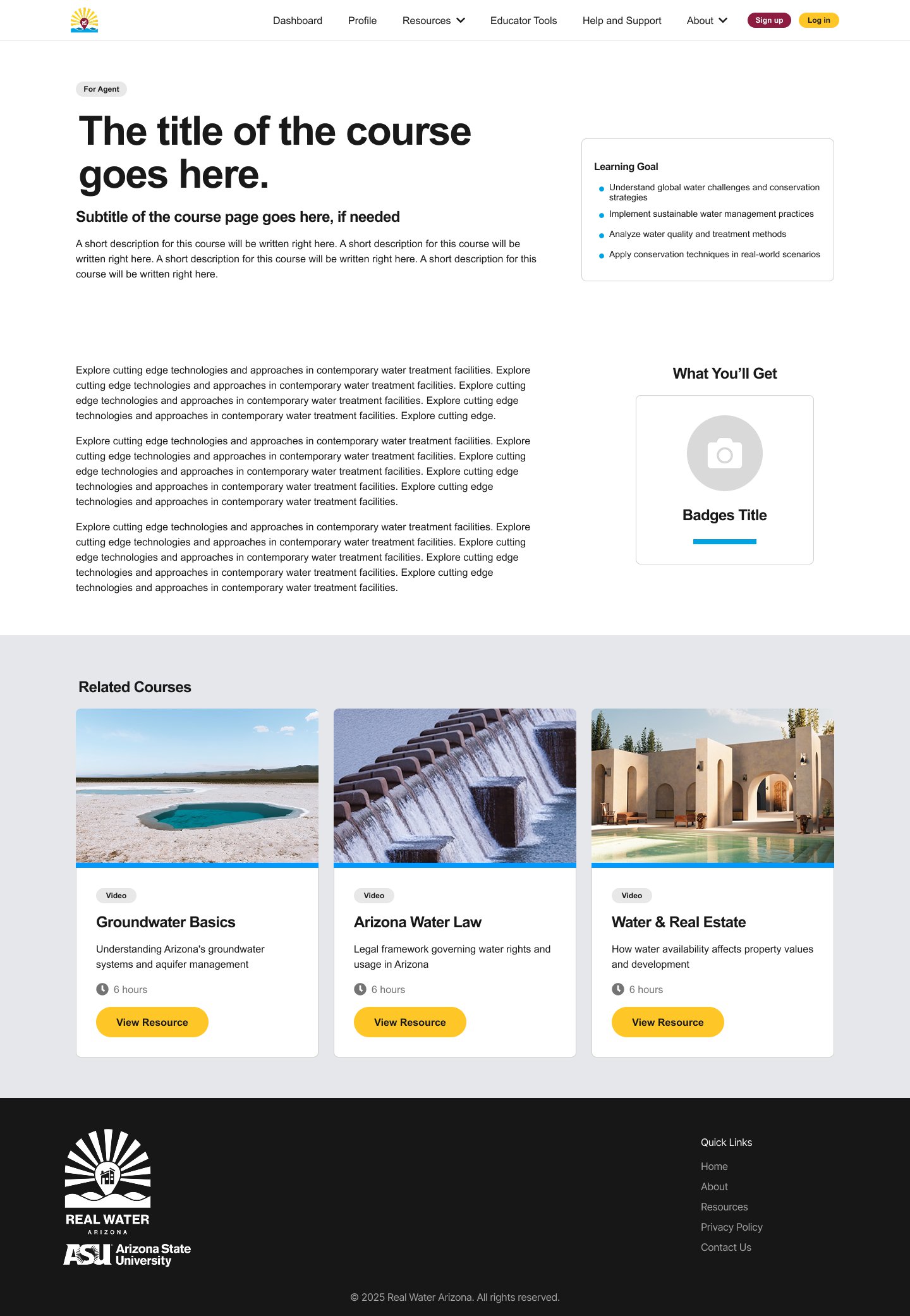
Dashboard: four tabs and three filters over course cards with progress.Course page: learning goals, the badge you earn, related courses.
Lessons and quizzes
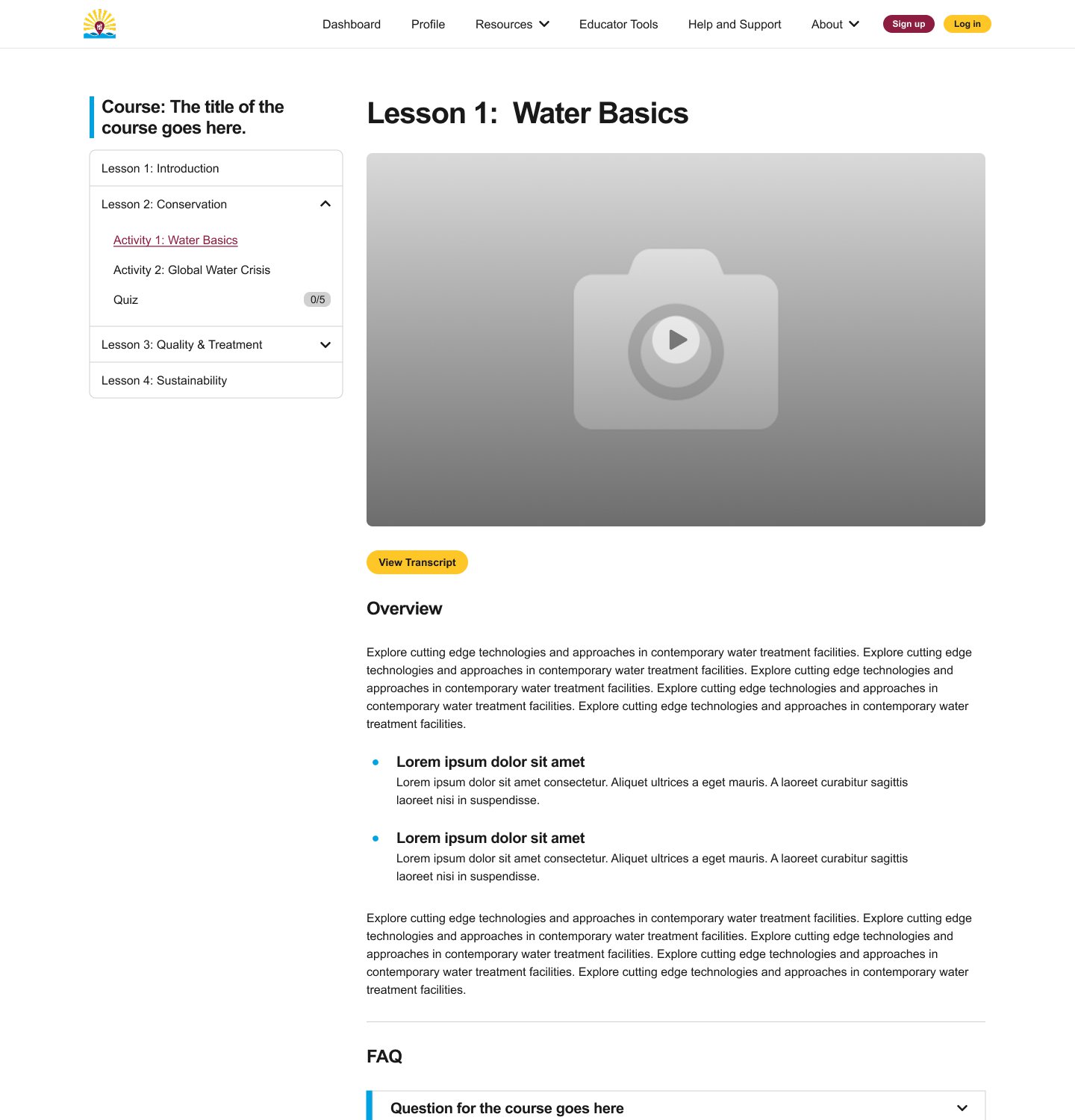
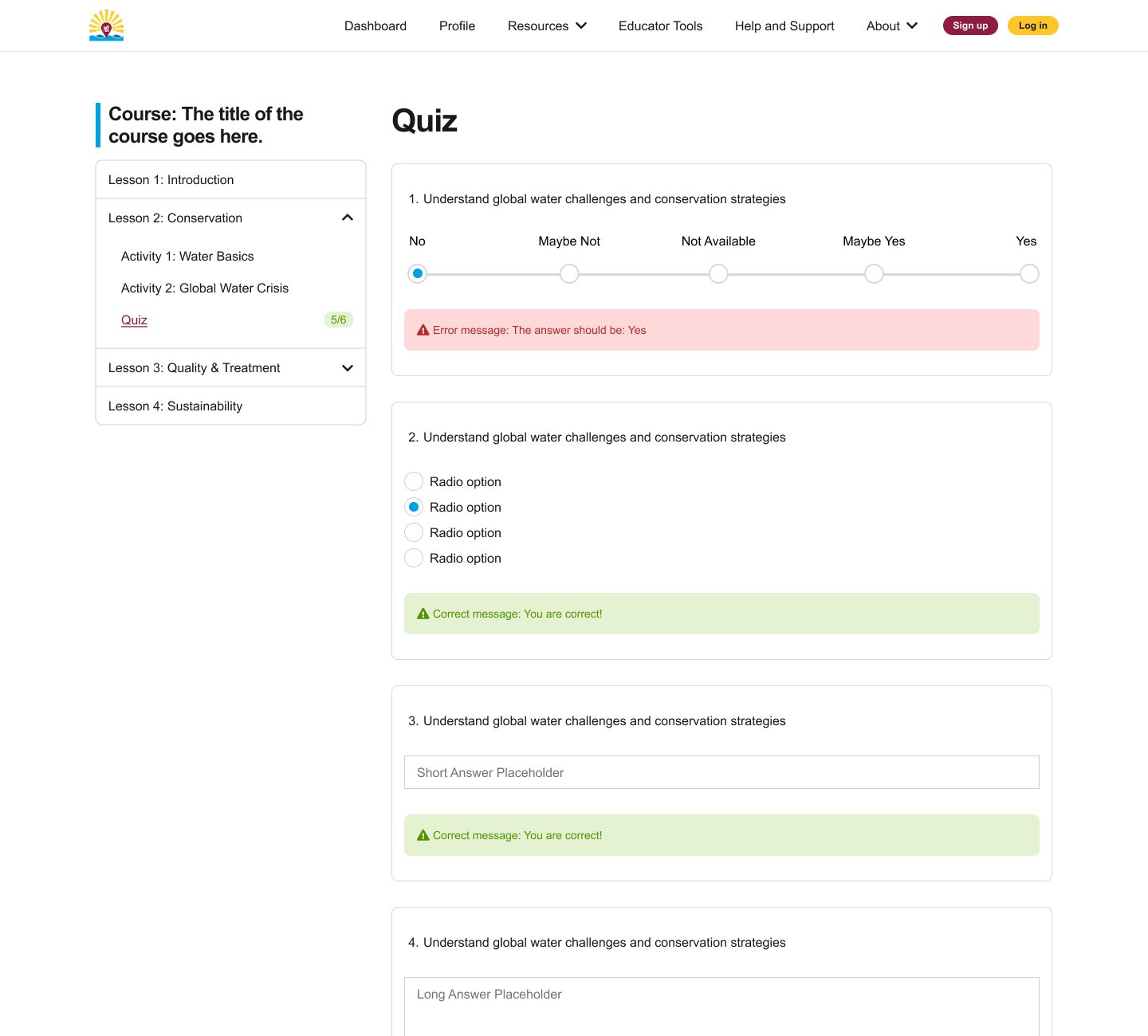
A lesson page pairs the video with a View Transcript button and an overview. Quizzes support five question types: scale, single choice, short answer, long answer, and checkbox. Each answer can show a correct or an error message.
Lesson page with a transcript button.Quiz with error and correct states.
Resources and profile
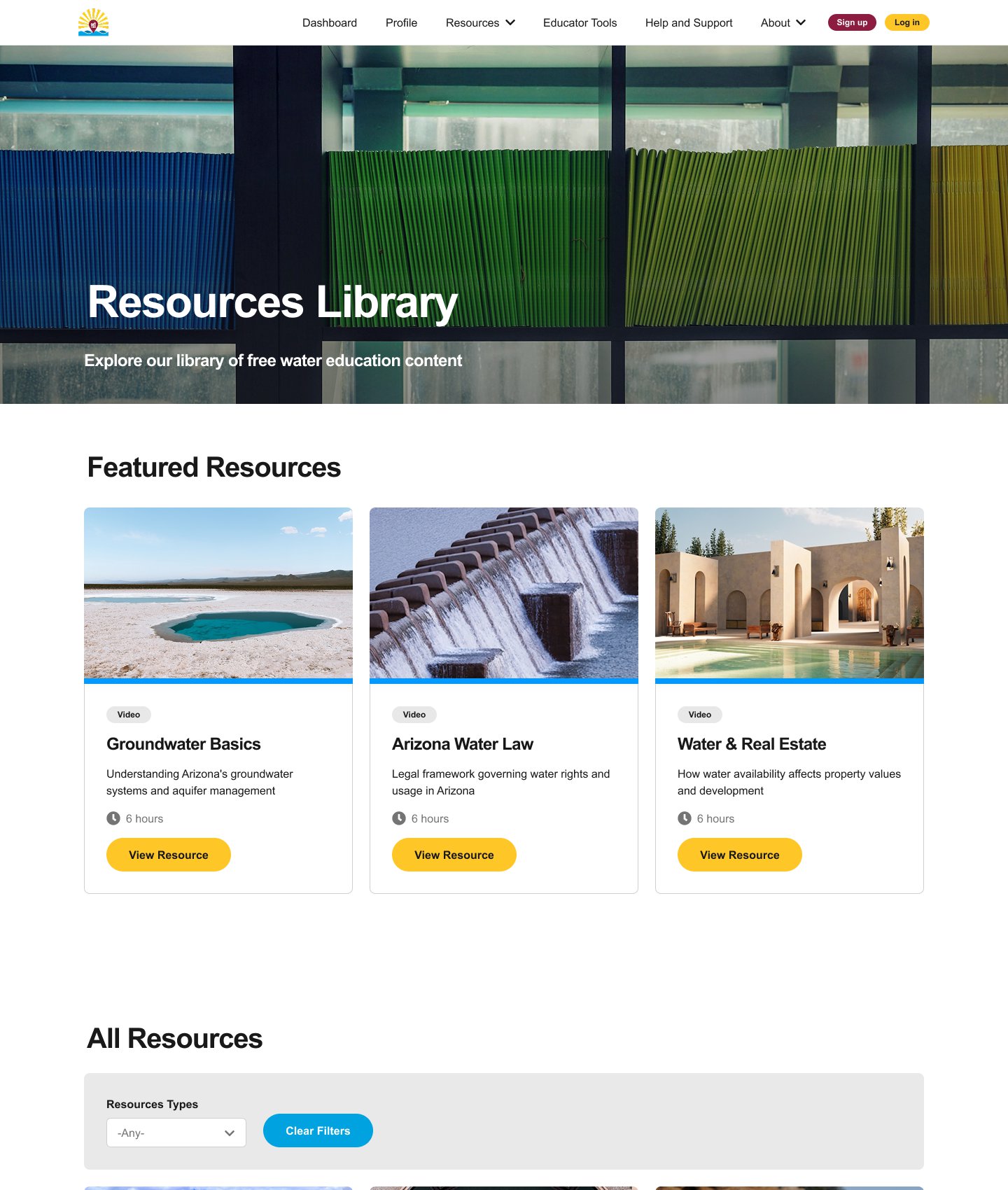
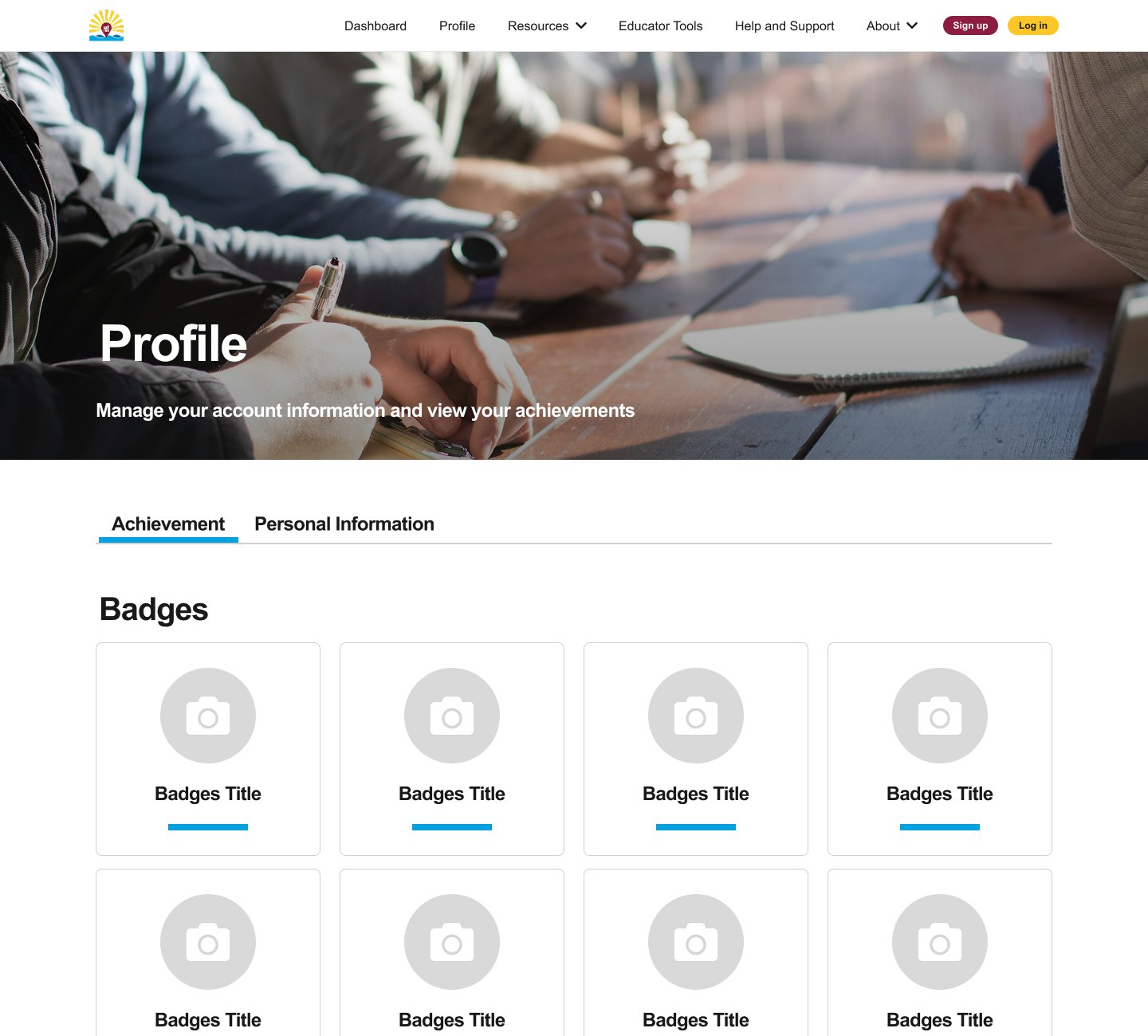
Resources library: featured items, then a filterable list.Profile: achievements, with personal information on a second tab.
Component library
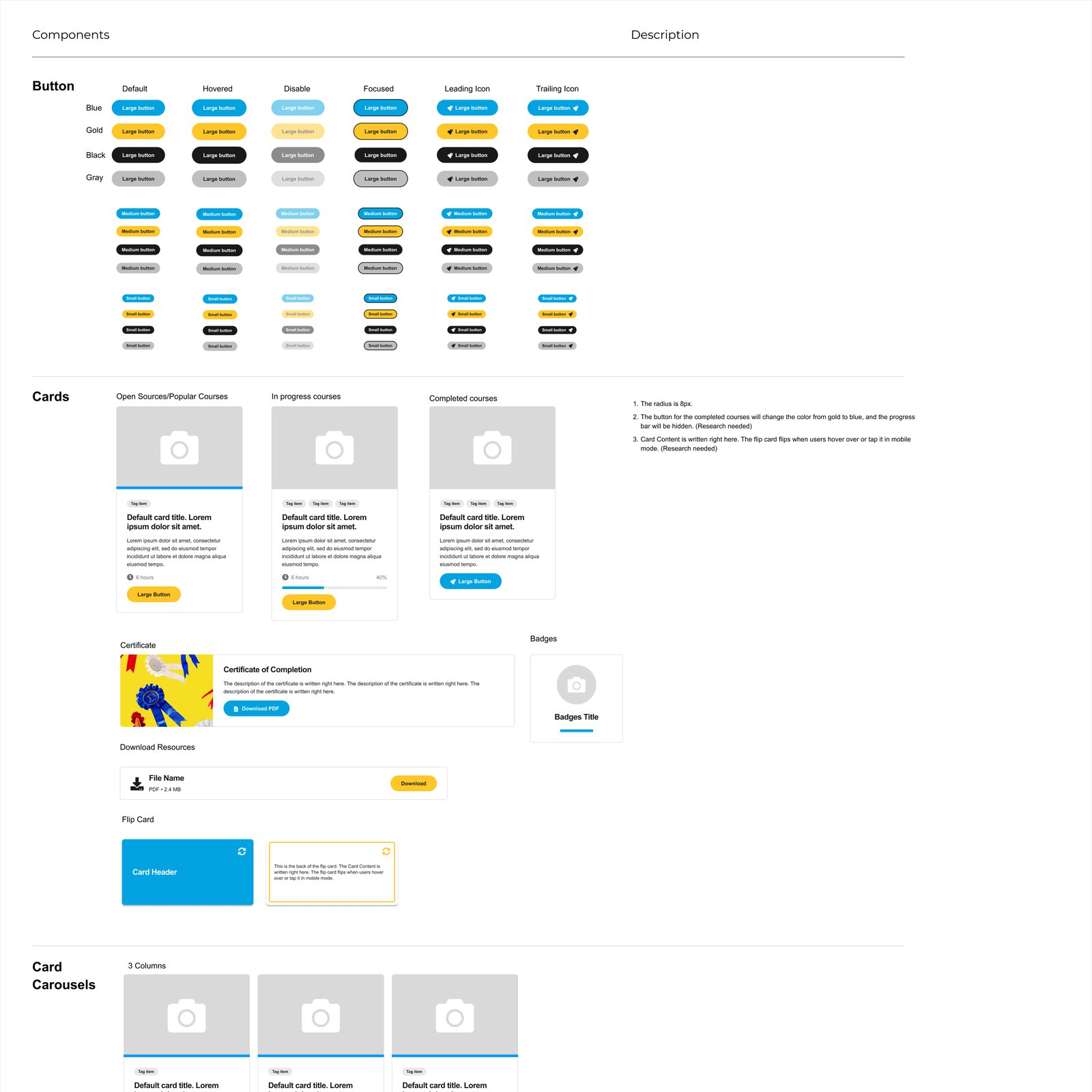
I organized the components in one Figma list: buttons in four colors and three sizes, each with default, hover, disabled, focus, and icon states, plus cards, certificate, badge, download, flip card, and carousel components. Notes beside each one record rules such as the 8 px radius.
Component list, top section (buttons and cards).
Edge cases
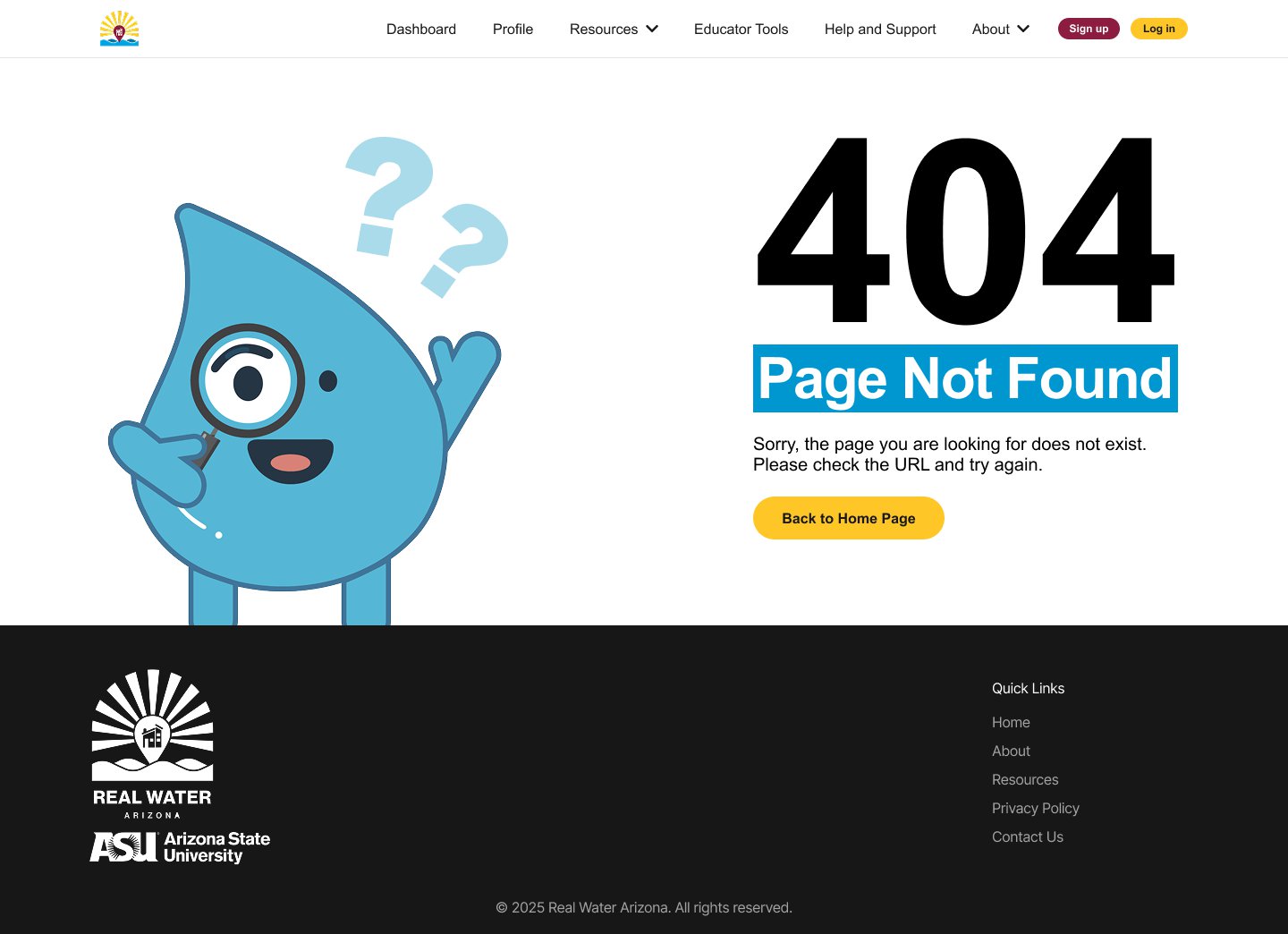
Error pages get their own designs, so a wrong link or a blocked page still explains what happened and offers a way back.
404 page with a way back.
04 · Build
Twig templates and SCSS in Drupal
I write the front end of the Drupal theme: Twig templates for each content type and SCSS for the styles.
Example
A template for lesson resources
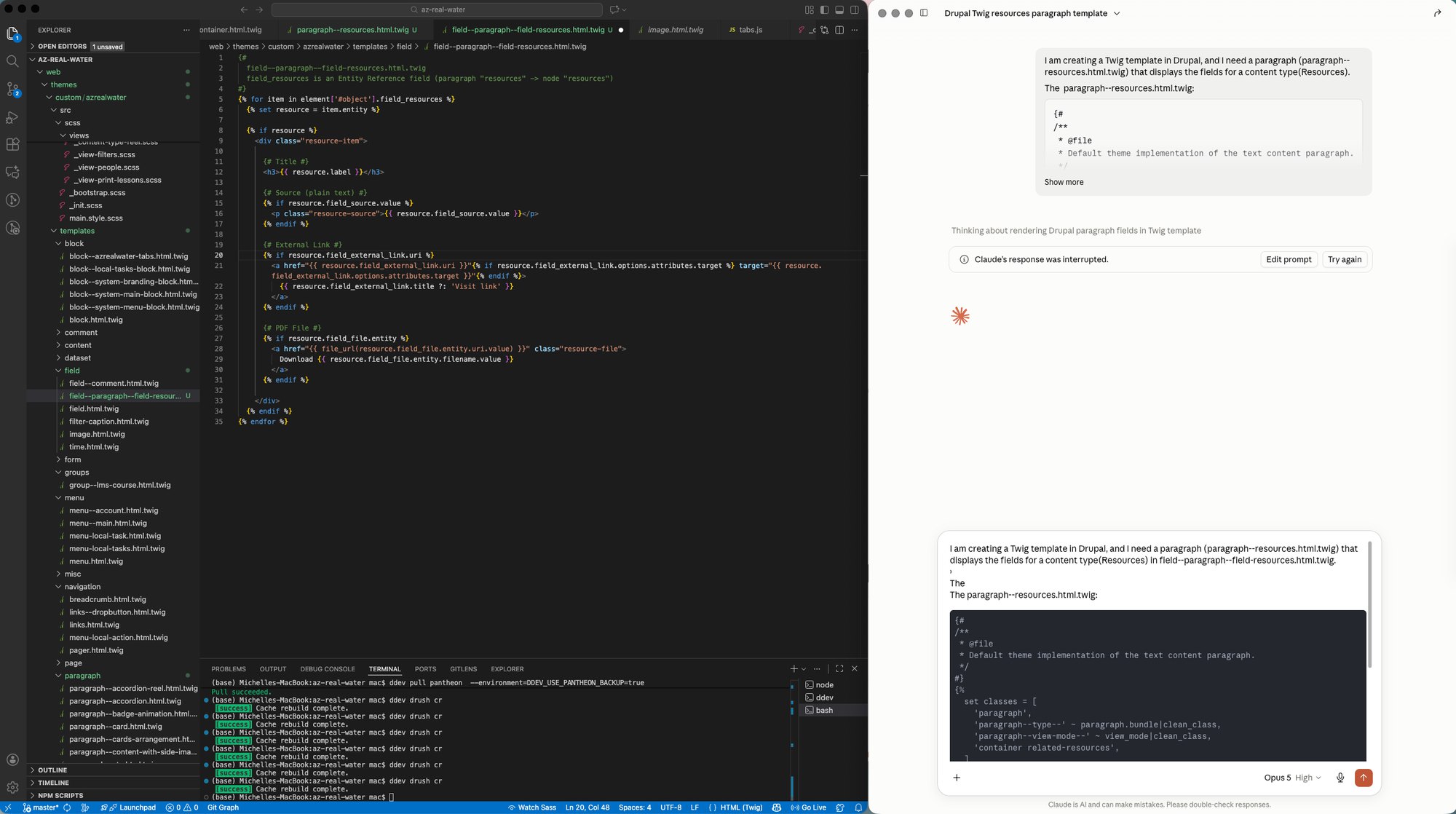
One paragraph type, four fields.
The Resources paragraph shows a title, the source, an external link, and a PDF download, and each part only renders when the editor fills it in. Some templates like this were drafted with Claude's help, then edited in the theme and tested after rebuilding the Drupal cache.
The Resources paragraph template in the theme.
Handoff
Storybook for the components
Components are documented in Storybook for handoff.
05 · Privacy & Data
Writing down what we collect before saying it out loud
A learning platform with accounts, forms, video, and an AI assistant collects personal data. I helped document it in an inventory that the privacy page draws on.
Inventory
Every data point, one row each
The inventory covers analytics, forms, video embeds, and the AI assistant. Gaps are marked "fill in" rather than guessed, since a reviewer would rather see a gap than a retention period nobody set.
Decision
Link to ASU's statement
The privacy page links to the ASU Privacy Statement as the governing document and acts as a site-specific supplement, instead of copying it.
Decision
A default retention period
Four years by default: two license renewal cycles of two years each, plus a window for research analysis. Rows that differ explain why.
Decision
Contact form, two paths
The form stores submissions in the Drupal database and also sends a notification email. Both paths are disclosed, and the database copy needs a purge schedule.
The AI assistant
The Real Waterbot answers questions about Arizona water. My part was the interface and the privacy documentation, not the model. I helped prepare a question list for the people who built the bot, grouped into vendor and contract, data flow, logging, and what the interface tells users. The answers decide how much of the privacy page's AI section is needed.
Not legal advice. Entity, student-record scope, and consent mechanics are calls for university counsel and governance. The inventory prepares those conversations.
06 · Reflection
What I owned, and what's still moving
What I own
Design in Figma, the Twig and SCSS front end, accessibility fixes in the templates, and the interface side of the AI assistant.
What others own
Course content and curriculum come from the water-education team, and the bot's model and hosting from the people who built it.
In progress
The platform is live, and courses keep being added and tested.
Reflection
Design on a real product includes what data we collect and how we explain it. The platform is live and still growing, so I'll update this page as courses and screens change.